In this guide
Identification
What did you find?
Identify anything found after a death (seed phrases, hardware wallets, wallet files, keys, phones, USB drives, QR codes) and what matters now.
The object in your hands determines the rules that apply. The first step is never to touch, type or photograph anything: it is to recognise what you have. This page covers every common crypto-related thing a family can find after a death, what it likely is, and what matters now.
Not holding an object, but know crypto existed somewhere? The mirror question is where was the crypto held?, found something versus held somewhere.
The golden rules: they apply to everything below
- Preserve it exactly as found. Do not reset, wipe or update anything, and do not change the power or network state unnecessarily: both powering off and leaving a device connected can affect data or access in certain situations; have the appropriate preservation approach assessed before any intervention.
- Record only that you found it (what, where, when) never the contents.
- Never photograph, scan or send recovery words, private keys or passwords. In this first phase, also do not send wallet files and do not enter secret access material anywhere just because a website or app looks official. Specialised technical recovery may later require an encrypted wallet file or a limited extraction; provide it only after what is needed and the secure process to follow have been agreed in writing in advance. First check in the current official documentation of the wallet concerned where and how recovery is supposed to take place (see official channels and source verification). With some hardware wallets you enter recovery words only on the device itself; with other wallets, an official app, software environment or web recovery procedure can be part of the normal recovery process. If what you see on screen differs from the official recovery procedure, or you are unsure, do not enter anything.
- Possession is not authority. Finding something does not make you the owner; legal authority comes from the estate process. See legal authority vs technical access.
Step by step
This page works in five steps. The table below is the complete reference.
- Find your item in the table. The left column is what you found; the middle says what it probably is; the right column says what matters now.
- Follow the “What matters now” column. For most items that means: preserve it untouched, do not open, type, photograph, scan, reset or update it, and do not change the power state yourself.
- Read the linked guide for the full rules. Each row links to the guide that explains how access works and what happens when the estate is ready.
- Item not in the table? Treat it as possibly sensitive: preserve it, record only that it exists, and ask the estate’s authorised person, do not test it or enter it anywhere.
- Do not conclude anything from a first glance. A visible balance, a file name or a QR code is not sufficient proof of ownership, access or title.
Quick reference
Not sure where to begin? Read the golden rules above, then find your item below.
Does one of these look familiar? Below are examples of items you may come across:
| Recovery card | Metal backup plate | Hardware wallet |
|---|---|---|
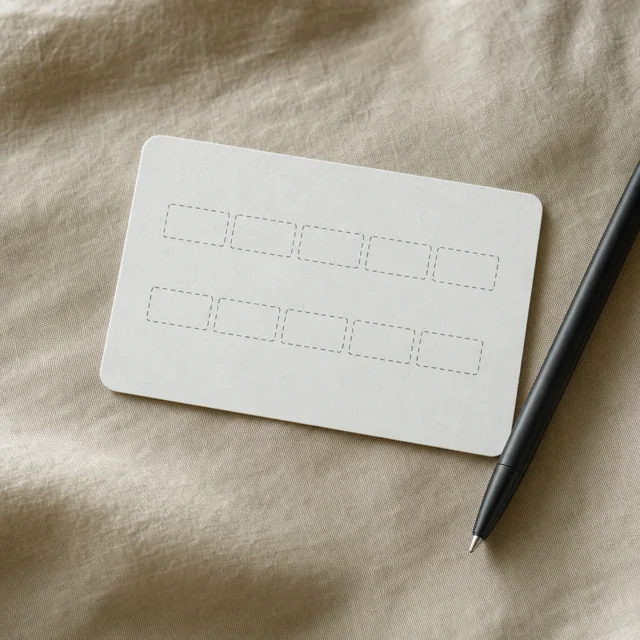 | 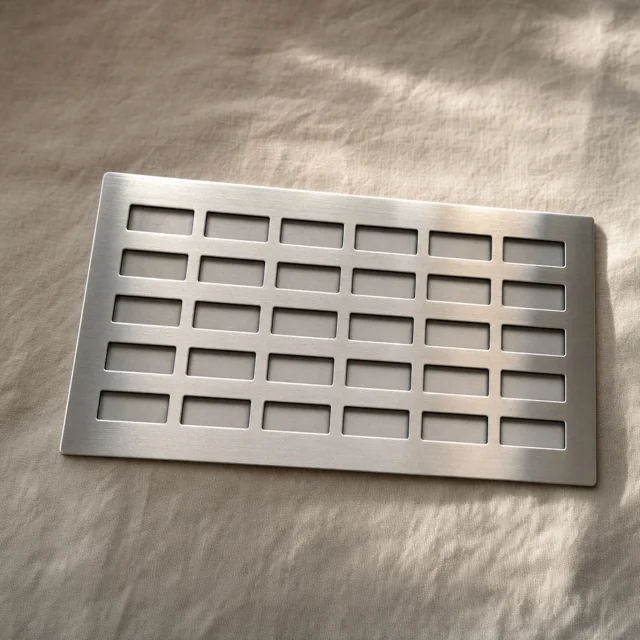 | 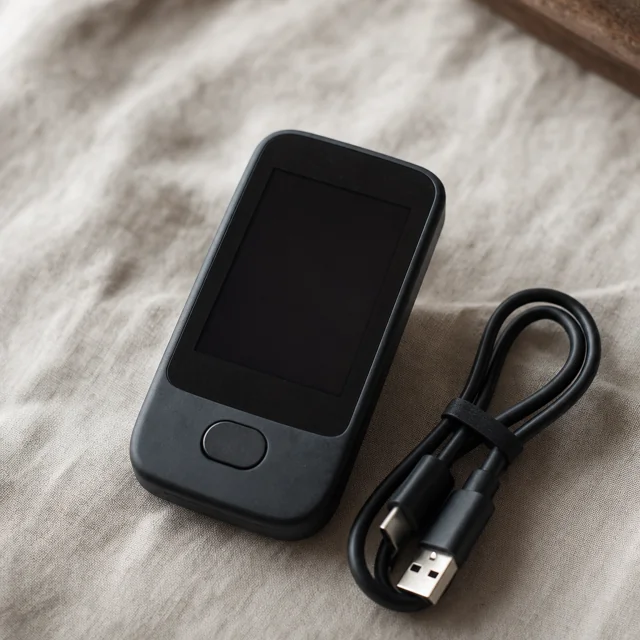 |
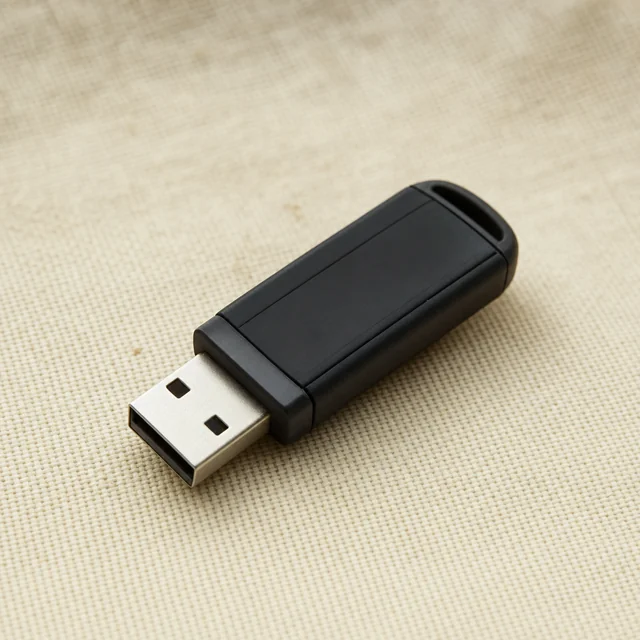
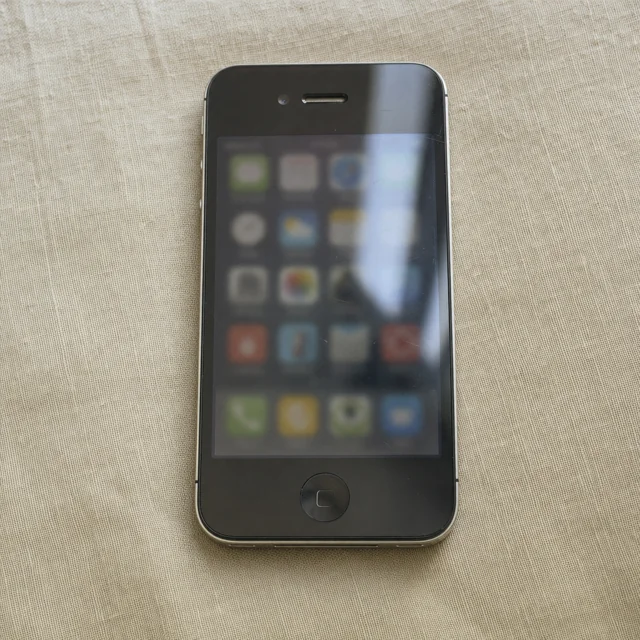
| Paper wallet | USB flash drive | Phone with wallet app |
|---|---|---|
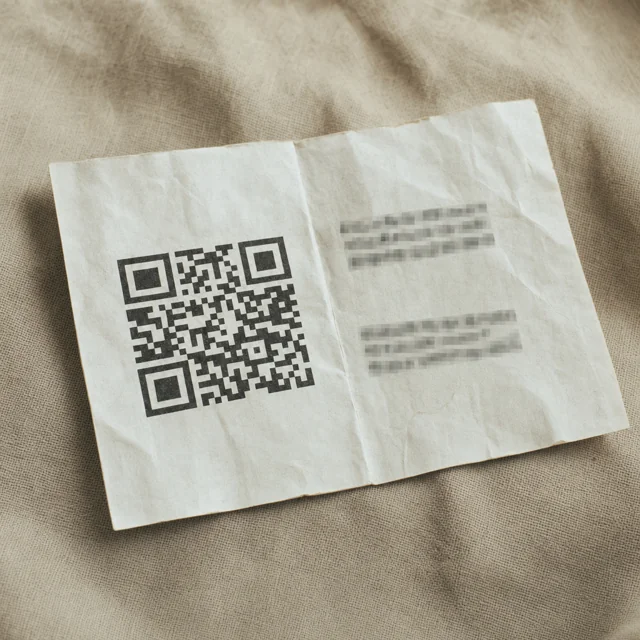 |  |  |
| What you found | What it likely is | What matters now |
|---|---|---|
| Words on paper or metal (any count) | Possible recovery material for a wallet, for example a seed phrase, part of a shared backup or another recovery code | Preserve it exactly as found and first try to establish which wallet or method it belongs to |
| A device with a screen (Ledger, Trezor and other brands) | Hardware wallet | Keep with its box and cable; never guess the PIN |
A file named wallet.dat | wallet.dat file, also used by Litecoin, Dogecoin and other Bitcoin-family clients | Leave the original file unchanged on its medium. First establish which wallet software and format it belongs to. Only then, if needed and once authority is confirmed, work on a controlled copy with suitable, verified software. |
A file starting with UTC-- (keystore/JSON) | Ethereum keystore | Preserve it with its password; import only in the right program, after authority |
A file named wallet.aes.json | Blockchain.com legacy backup | Preserve it with its password; import only in the right program, after authority |
A file named .wallet, .key or mbhd.wallet.aes (MultiBit) | .wallet is a MultiBit Classic wallet file; .key may be a private-key export or backup; mbhd.wallet.aes is the MultiBit HD wallet file | Preserve it; treat the file types as different structures and identify the file type first |
| An Electrum wallet file | Software wallet | Preserve the wallet file and all passwords or recovery details found. What is needed for access depends on the type of Electrum wallet and the security that was set up. |
A string starting with 5, K, L, or 64 hex characters | May be private key material | Treat it as possibly secret; never type or photograph it |
A string starting with 6P | Encrypted private key (BIP38) | The password matters; never type or photograph it |
| A printed sheet with an address and a QR code | Paper wallet | Keep the whole sheet flat, dry and unphotographed |
| A metal plate or stamped cards | Possible recovery material, for example a seed phrase or part of a shared backup | Depending on the configuration, a set threshold of parts may be enough; preserve each part as found and separately |
| Words in a notebook, sticky note or address book | Seed phrase (handwritten) | Preserve the original; never photograph it into cloud services |
| A text or notes file with a word list | Seed phrase saved digitally | Preserve the medium; never open, copy or send it |
A key starting with xpub, ypub or zpub | Extended public key | Can reveal addresses and history within the corresponding derivation scope; cannot sign, privacy-sensitive |
| A QR code | Address, payment request, private key or other data | Potentially secret; scan only within a verified official wallet procedure |
An address (1, 3, bc1, 0x…) | Public address | Look it up on an explorer; a visible balance does not prove access or ownership |
| A phone with wallet apps | Wallet apps and/or 2FA | Preserve it; do not charge or unlock carelessly |
| A computer with wallet software | Possible software wallet | Preserve it; no updates, repairs or “rescans” |
| A USB stick or external drive | Possible backups | Preserve it; do not plug it into unknown machines |
| An encrypted drive or container (VeraCrypt, TrueCrypt, BitLocker, encrypted archive) | Encrypted storage | Preserve the original medium, all known access details and any available information about the encryption software and version used; which software or version is needed for recovery depends on the specific format and configuration |
| A hardware security key (YubiKey and similar) | 2FA factor | Preserve it; it is part of the access path |
| A SIM card | Possible 2FA / account-recovery factor | Preserve the SIM card and note the number. Do not change, end, renew or take over the contract solely because of possible 2FA without first checking the provider’s current bereavement procedure and the relevant authority |
| Exchange emails, statements or an app | Supporting evidence of an exchange account | Official procedure applies; never log in without authority |
| Bank or card statements showing transfers to an exchange | Evidence of an account | Keep with the estate file; part of the search trail |
| Tax records mentioning crypto | Supporting evidence | Keep with the estate file; the official reporting route applies |
| A crypto debit card | Can belong to a custodial account or be linked to a self-custody wallet | Note the brand and issuer and first determine which card type and which linked wallet or account was used. Then follow the official procedure that applies. |
| A password manager or authenticator app | Credentials and authentication codes | Access is governed by the same authority rules as the accounts |
| Handwritten notes | Passwords, usernames, pointers | Keep originals together; never photograph them into cloud services |
| A will or lawyer’s letter mentioning crypto | Guidance document | Read it; secrets should never be inside it |
| A safe-deposit-box key or bank/notary envelope | Physical storage of secrets | Lawful access only, through the estate process |
| A transaction hash or block-explorer link | Public record | Viewable by anyone; not sufficient proof of access |
| A screenshot of a balance | Indication only | Not proof of ownership, access or title |
| NFT artwork or files | Possible NFTs | Preserve; valuation is a separate, honest step |
| Mining equipment or configuration files | Indications of addresses, mining proceeds and payout addresses | Preserve; do not automatically treat a mining pool as an exchange |
Words and recovery material
A list of 12, 15, 18, 21 or 24 words. The standard seed-phrase counts (BIP-39), used by most wallets. An 18-word phrase is a standard BIP-39 length, not an error. Extremely sensitive. Preserve it flat, dry and private. Never photograph, scan or send it, and never enter it anywhere just because a website or app looks official. First check in the current official documentation of the wallet concerned where and how recovery is supposed to take place. With some hardware wallets you enter recovery words only on the device itself; with other wallets, an official app, software environment or web recovery procedure can be part of the normal recovery process. If what you see on screen differs from the official recovery procedure, or you are unsure, do not enter anything. It is important technical access material, but does not prove legal authority. See what is a seed phrase.
The number of words varies, do not rely on counting. Some wallets use other lengths: 13, 20, 25 and 33 are real formats too, and a partially copied or miscopied list can have any number at all. The count alone never identifies what you have: preserve every word exactly as found and identify the format instead of judging it by length.
A partially written list (some words missing, crossed out, or cut). Still a seed phrase, and still the most valuable object in the estate. A few missing words can sometimes be reconstructed later; a fully missing phrase cannot. Preserve every fragment exactly as found. See wallet recovery: what is realistically possible.
A separate extra word, hint or note. An optional wallet passphrase, sometimes informally called the “13th” or “25th word”, although technically it is not part of the seed phrase and can be a free-form string. Without it, an intact seed phrase can be insufficient for the intended wallet; with it, access exists. Preserve it securely and appropriately, preferably not unprotected together with the words, and never photograph either. See wallet passwords and passphrases.
Multiple cards or plates, each with part of a phrase. These may be separate backups, manually split information or SLIP-39 shares. Determine first which system was used. With SLIP-39, the number of shares needed depends on the configured setup; some setups use multiple groups with their own thresholds. do not routinely bring separately stored shares together, and do not change the existing secure distribution before it is clear what is needed. Every part is secret material; never record the contents of the shares in the file. Do make sure the recovery plan, without secret content, makes clear that a multi-share backup exists and how the authorised recovery route can find enough shares. See what is a seed phrase.
A “recovery card” or kit from a wallet service. Newer wallets ship recovery or inheritance features with cards and service processes. Follow the service’s official process, and never send the card’s content to anyone without a clear reason, including people who “help” with it. See digital legacy tools for crypto.
Devices
A hardware wallet (Ledger, Trezor and other brands). Keep it with its packaging and cable. Do not guess the PIN, some devices reset or wipe after repeated wrong PIN entry; the number of attempts and the behaviour differ by brand, model and security version (on currently documented Ledger devices this happens, for example, after three wrong attempts; Trezor uses model-dependent limits). Check the current official documentation for the exact device. The device is the vault, not the contents; the recovery words are often crucial, but also preserve the device itself. See how to preserve a hardware wallet.
A phone with wallet apps. Apps like MetaMask, Trust Wallet, Exodus or exchange apps may hold accounts, keys or 2FA codes. Do not charge it carelessly, do not let it update or sync, and do not unlock it repeatedly. Phones are covered in old computer or phone with a wallet.
A computer with wallet software. Bitcoin Core, Electrum, browser extensions and more may live on it. Do not update, “repair”, rescan or open anything. See old computer or phone with a wallet.
A USB stick or external drive. The most common place for wallet backups. Preserve it and its label; do not plug it into machines that are not part of the estate process.
A hardware security key (YubiKey and similar). A second factor that may protect wallet software, password managers or exchange logins. It is part of the access path, preserve it and record that it exists. See 2FA and wallet access after a death.
A SIM card. A SIM card can be part of an SMS-based access or recovery route. Preserve the SIM card and note the phone number. Do not change, end or port the number solely because of possible crypto or 2FA access. First check the provider’s current bereavement procedure and who is authorised to decide on the contract or number. The role of the SIM card or SMS in wallet or account access depends on the specific product and configuration.
Files and backups
A file like wallet.dat. Bitcoin Core’s wallet file, sensitive, often unencrypted by default, and easy to destroy by accident. Opening it in fresh software can create an empty file that looks like the wallet while the real one sits elsewhere. See wallet.dat files.
A keystore/JSON file (UTC--…). An encrypted private key for Ethereum wallets, protected by a password. The wrong network or wrong software can show an empty balance even when assets are intact. See Ethereum keystore (UTC—) files.
A file named wallet.aes.json. A legacy encrypted backup from Blockchain.info / Blockchain.com. Preserve it with its password and import it only through Blockchain.com’s current official import or recovery procedure (web or software), never through a third-party site that offers to “check” it; see Blockchain.com wallets.
A MultiBit wallet file (.wallet, .key or mbhd.wallet.aes). .wallet files are MultiBit Classic wallet files; .key files may be automatically created private-key exports or backups; mbhd.wallet.aes is the MultiBit HD wallet file. Identify the file type first: which data is needed for access or recovery depends on the MultiBit generation and the material found. With MultiBit HD, a usable wallet file with the correct password and recovery from the correct wallet words can be different routes. Older versions can use different formats; an empty result does not mean the wallet is empty or that historical MultiBit software is needed. Preserve all material found securely and appropriately; the estate-specific rules are in MultiBit wallets after a death.
An Electrum wallet file. Preserve the wallet file and all passwords or recovery details found. What is needed for access depends on the type of Electrum wallet and the security that was set up. Preserve the file and any written password securely and appropriately; it can be sensible not to keep them together unprotected.
Backup archives and encrypted containers (zip files, VeraCrypt/BitLocker-style volumes, old disks). May contain any of the above. Preserve the medium and its labels; never “extract to check” on a connected machine.
For the full identification and preservation rules for encrypted storage (VeraCrypt, TrueCrypt, BitLocker, LUKS, encrypted archives and backups) see encrypted drives and containers.
For the index of the formats covered in this library, see the wallet format library.
Cloud backups. Folders, sync apps or encrypted archives in cloud storage may hold wallet files. Access them lawfully, through the estate’s representatives, see the note apps and cloud storage entry below.
Secret strings and public data
A long string starting with 5, K, L, or 64 hex characters. A string starting with 5, K or L can be a private key in WIF format; 64 hexadecimal characters can be a private key in raw hex notation. Treat it as potentially secret until the format and context are safely established. Do not type, photograph or send it.
A string starting with 6P. An encrypted private key (BIP38, from the paper-wallet era). The password matters as much as the key; never type or photograph either, enter it only within a pre-verified and suitable recovery environment: compatible wallet software or hardware from a trusted official channel, or a controlled offline environment when specialist recovery is needed.
A long key starting with xpub, ypub or zpub. An extended public key. It can reveal addresses and transaction history within the corresponding derivation scope. It cannot be used to sign, but it is privacy-sensitive; treat it as sensitive personal data, not a public address.
A QR code. Could be an address, a payment request, account details, or even a private key. Treat it as possibly secret: do not scan it with an arbitrary app, website or online QR scanner. First establish what the code is for, and use it only within a verified official wallet procedure or a controlled method.
A wallet address (starting with 1, 3, bc1, 0x…). A public address can be looked up on a block explorer. A visible balance is an indication, it proves nothing about ownership, access or legal title. See why a visible wallet balance does not prove access or ownership.
A transaction hash or block-explorer link. A public record of a transaction. Anyone can view it; it is not sufficient proof of who controls the wallet today.
A screenshot of a balance. An indication, not proof. Screenshots are easily fabricated and say nothing about access.
Paper and physical storage
A printed or handwritten sheet with an address and a QR code. A paper wallet, historically used mainly in earlier generations of self-custody. The private key material can give technical control over the corresponding funds and must therefore be treated as secret; keep the whole original sheet because addresses, labels and other context can matter for identification. Keep the whole sheet flat, dry and unphotographed.
Handwritten notes (notebooks, sticky notes, loose pages). Often the only record of access that exists: passwords, usernames, recovery words, or pointers to a safe, a bank box or a device. Do not photograph them into cloud services or type them anywhere. Keep the original notes safe and unchanged. If they may contain passwords, recovery words or other secret access material, do not routinely make extra copies and do not include the contents in the estate file. Record only that the material exists and where it is kept securely. Before use, have it established who actually needs the material for the action concerned.
A will or a lawyer’s letter mentioning crypto. Guidance documents, they may say that crypto exists and where guidance lives. Read them; if they contain secrets, that is an error in the plan, not a reason to repeat it. See crypto in a will.
A safe-deposit-box key or a bank/notary envelope. Physical storage where devices, words or documents may be held. Access follows the estate’s lawful process, see who can help with inherited crypto.
Account evidence
Exchange evidence (emails, statements, 2FA device, app). An account may exist with a company. The exchange’s official procedure for account holders who have passed away applies, never log in without authority. See exchange accounts after a death.
Bank or card statements and tax records. Transfers to an exchange, or tax filings that mention crypto, are supporting evidence of a historical relationship or transaction: not independent proof of a current balance, access or legal ownership. Keep them with the estate file; they are part of the search trail. See how to find someone’s crypto after they passed away. Bank statements can point to an exchange, broker or other provider. Tax records can also indicate that the deceased owned crypto, even when it was held in self-custody. Follow the trail the document shows: for a provider, the official procedure of that provider, and for signs of self-custody, the search and identification route for wallets and recovery material. For self-custody, public addresses and documents on their own give no technical access; which access material is needed depends on the wallet architecture and can include recovery material, private keys, wallet files and passwords, devices, recovery shares, multisig data or other wallet-specific mechanisms.
A crypto debit card. Can belong to a custodial account or be linked to a self-custody wallet. Note the brand and issuer and first determine which card type and which linked wallet or account was used. Then follow the official procedure that applies; contact the issuer officially if in doubt.
A password manager or authenticator app. May hold account credentials and 2FA codes. Access to it is governed by the same authority rules as the accounts themselves. See 2FA and wallet access after a death.
A note app or cloud storage. May contain inventories, recovery information or documents. Preserve access to it lawfully, through the estate’s representatives.
Special cases
NFT artwork or files. Artwork, collectibles or domain files may represent NFTs. Preserve the files and any associated wallet; valuation is a separate, honest step. See NFTs in an estate.
Mining equipment or configuration files. Mining equipment, worker settings or a mining pool account can point to historical mining proceeds, unpaid rewards and configured payout addresses. Do not automatically treat a mining pool like an exchange. Record the pool, account details and payout addresses, and check separately (1) whether a balance or reward still exists with the provider and (2) which wallet addresses previous payouts went to. For access to the pool account, use the provider’s current official procedure.
An encrypted drive or container. VeraCrypt, TrueCrypt, BitLocker, LUKS and encrypted archives all protect whatever is inside, often the wallet files and backups. Preserve the medium and any written password securely and appropriately, and do not experiment on the only original medium or run repair, formatting or recovery actions before the encryption system is clear. See encrypted drives and containers.
An old phone or computer with a wallet app from the 2010s (Breadwallet/BRD, Jaxx, Coinomi, Mycelium, Armory and similar). The app may be discontinued, but the recovery phrase or files it created are the access path, see the old wallet apps table in the wallet format library.
What happens next
You have identified what was found. The next step is understanding how access actually works: what the family can do itself, in the right order, and where legal authority comes first, see accessing a deceased loved one’s crypto.
The rule that applies to everything
Whatever you found: preserve it, record only that it exists, never share its contents without a clear reason, and let the estate process decide what happens next. The order is always the same, see first steps after a death, and if nothing has been found yet, how to find someone’s crypto after they passed away is the search method.
Quick answers to common questions
I found a seed phrase, what do I do?
Preserve it exactly as found: flat, dry and private. Never photograph, scan, type or send it, and never enter it into an unknown or not independently verified website, app, form, chat or tool; use it only when actually needed within the verified recovery procedure of the wallet or device concerned, such as on the device itself or in verified wallet software from the official channel, after authority is confirmed. Record only that it exists and where it is kept. The phrase is important technical access material, but does not give standalone access to the intended wallet in every configuration; who may use it is decided by the estate process. Holding it does not prove legal authority.
I found a file on a computer or USB stick, what is it?
It could be a Bitcoin Core wallet file (wallet.dat), an Ethereum keystore (a UTC-- JSON file), an Electrum wallet file, or a text file containing 12-24 words. Identify it by name and format using the table above, then preserve the medium exactly as found. Never open, import, copy or check it.
I found a hardware wallet without its PIN, what now?
Keep the device with its box and cable, and do not guess the PIN: some devices reset or wipe after repeated wrong PIN entry; the number of attempts and the behaviour differ by brand, model and security version (on currently documented Ledger devices this happens, for example, after three wrong attempts; Trezor uses model-dependent limits). Check the current official documentation for the exact device. The device is not the funds. If a seed phrase exists in the estate's papers, it can restore the wallet on another device.
I found words in a notebook or sticky note, could they be a seed phrase?
Yes, likely. Handwritten words in a notebook, address book or sticky note are a common way people record seed phrases. Apply the same rules: preserve the original, never photograph it into cloud services, and record only that it exists and where.
I found 13 words (or another unusual number), is it a seed phrase?
Possibly. Standard seed phrases have 12, 15, 18, 21 or 24 words, but other real counts exist too (9, 13, 20, 25 and 33 are used by some wallets) and a partially copied list can have any number. Do not dismiss it because the count looks unusual: preserve every word exactly as found and identify the format.
I found a QR code, what is it?
It could be an address, a payment request, or a private key. Treat it as possibly secret: do not scan it with an arbitrary app, website or online QR scanner. First establish what the code is for, and use it only within a verified official wallet procedure or a controlled method. Preserve the original exactly as found.
I found a crypto app or browser extension, what should I do?
Preserve the device and the browser profile exactly as they are: do not open the app, do not let it update or sync, and do not unlock it repeatedly. Apps like MetaMask, Electrum, Exodus or Trust Wallet are an indication that a wallet may have been used. The app can contain local wallet data or key material, but it can also be empty, watch-only or configured differently. Therefore preserve the device and any recovery material found. Record only that it exists, and confirm legal authority before anyone acts.
I found emails from a crypto exchange, does that mean they had crypto?
Not necessarily. Emails from a crypto exchange are a clue that an account or historical relationship may have existed, but not proof that crypto was still present at the time of death. The route for exchange-held crypto is the platform's official procedure for account holders who have passed away, documents and authority, never passwords or recovery words.
I found a Bitcoin or crypto address, what can it tell me?
An address is public and can be looked up on a block explorer, so it can show you where funds moved, but it is not sufficient proof of access or ownership, and a visible balance is not proof either. An address alone cannot spend anything; it is a clue, not a key. The same applies to transaction IDs and extended public keys (xpub).
I found bank statements or tax records that mention crypto, what do they prove?
Bank statements can point to an exchange, broker or other provider. Tax records can also indicate that the deceased owned crypto, even when it was held in self-custody. These documents on their own prove no current balance or technical access. Follow the trail the document shows: for a provider, the official procedure of that provider, and for signs of self-custody, the search and identification route for wallets and recovery material.
Sources and useful links
- Ledger, My device got reset: what should I do?Source accessed: 2026-08-09
- Trezor, Understanding wallet backups (12, 20 or 24 words)Source accessed: 2026-08-09
- Bitcoin Core, managing wallets (wallet.dat)Source accessed: 2026-08-09
- MyEtherWallet Help, what is a Keystore/JSON file?Source accessed: 2026-08-09