In this guide
Wallets and access
2FA and wallet access after a death
What two-factor authentication and backup codes mean for an inherited crypto wallet: what can and cannot be reset, and what to preserve.
Scope: this page is only about two-factor authentication (2FA) as it affects cryptocurrency, wallets and exchange accounts. It does not cover email, social or other online accounts.
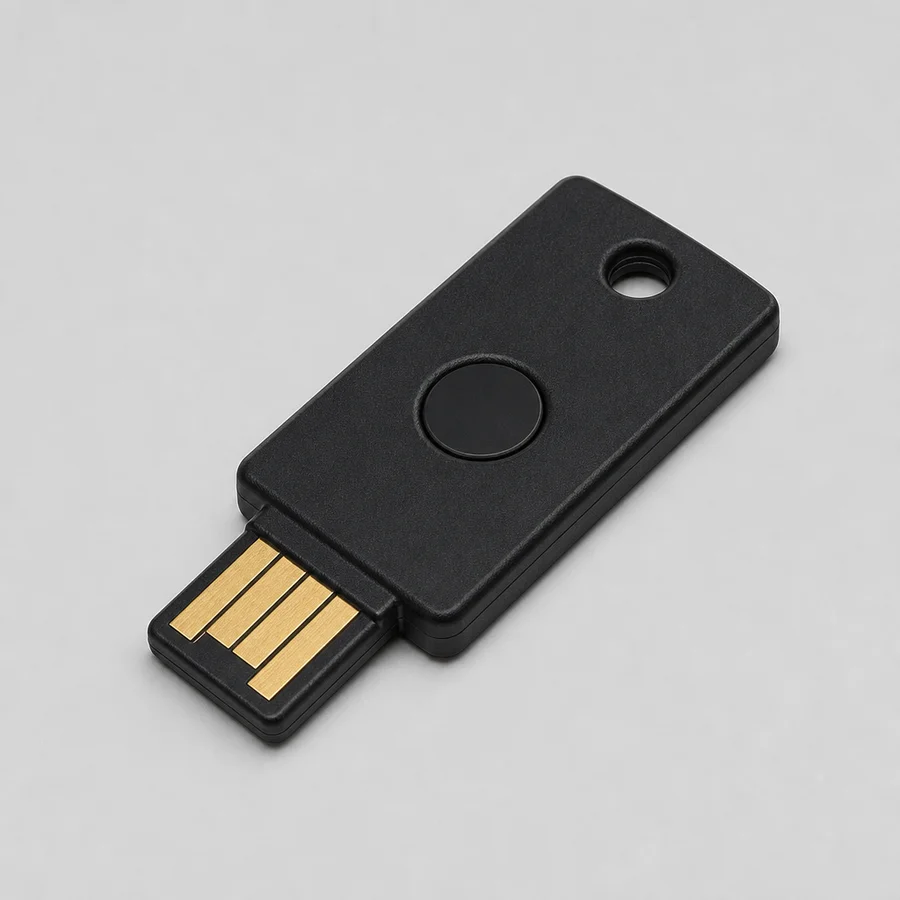
Two-step verification requires two verification steps. Multi-factor authentication combines different kinds of authentication factors, for example a password with an authenticator app, a registered phone or a hardware security key. Backup codes and email codes can additionally be used as a recovery or verification method; their role differs per service. 2FA is important security, but it can block ordinary access after a death. For an exchange, an official inheritance procedure can offer a separate route; with self-custody, recovery depends on the wallet and configuration used.
What 2FA protects in the crypto context
- Exchange accounts. Logins may be protected by authenticator codes, SMS or other factors. After a death, many exchanges handle the matter through a separate official estate procedure that verifies the applicant’s identity and authority. Always follow the platform’s current procedure for this. See exchange accounts after a death.
- Wallet software and password managers. Depending on the software and configuration, a second factor can be part of the access path (for example a password manager with a separate authenticator); for much local self-custody wallet software this is not a general rule. Losing a factor can make stored material unreachable.
- Hardware wallets. A device PIN is not 2FA in the online sense. An existing PIN can remain technically usable as long as the device and the configuration concerned are intact. Do not guess an unknown PIN: depending on the brand and model, repeated wrong attempts can trigger security measures, such as delay, lockout, reset or wiping of device data. So first check the exact device model and the current official instructions. See how to preserve a hardware wallet.
- Recovery flows. Some wallets gate recovery behind the same authenticator that the owner used to set it up.
What can and cannot be reset
- Exchange accounts. After a death, use the exchange’s official estate procedure instead of trying to log in as the person who passed away. Which documents and verification steps are needed varies by platform and situation.
- Self-custody. Whether a lost authentication factor can be replaced or bypassed through another valid recovery route depends on the exact wallet and account model. For classic local wallets, no central reset option may exist; other self-custody wallets may have additional authentication or recovery routes. If the wallet or the password manager holding it was protected by 2FA, the factor is part of the access path. Recovery codes, setup keys or other 2FA recovery material found may be part of the access or recovery route; what function they have and what other data is needed alongside depends on the provider and configuration. If none exist, the factor may be gone forever.
- Backup codes are secrets, but not everywhere the same thing. 2FA recovery material varies by provider: some services issue one-time recovery or backup codes; others use “backup code” for the durable authenticator setup key from which TOTP codes can be regenerated. Do not automatically treat unknown 2FA recovery material as a one-time code; first identify the provider and the factor type. Preserve any 2FA recovery material found like seed material, and never send or photograph it. See what is a seed phrase.
What to preserve
- Leave phones, authenticator devices, hardware security keys and computers exactly as found. Do not wipe or reset anything, and do not try unknown codes at random: failed attempts can, depending on the account or device, cause delays, temporary lockouts, a reset or loss of local device data.
- If backup codes are found, keep them flat, dry and private, in the same secure location as the rest of the secret material.
- Record only that a factor exists and where the guidance points to it, never the codes themselves.
Planning for owners
- Store 2FA backup codes with your other secret material (sealed paper or metal), never inside the secret-free summary or a will.
- Tell the executor where the guidance lives, not what it contains.
- Name a technically comfortable helper who can operate the authenticator, if your plan relies on it.
- Test the recovery plan without giving anyone current access to your real wallet. Where possible, use an official recovery check or dry run, a test wallet, a limited test amount or a procedural walk-through.
What to do with it
- A second factor protects exchange logins and some wallets, an authenticator app, backup codes, a security key or an SMS code.
- Exchange accounts, when the estate is ready: the platform handles it according to its official procedure with documents and confirmed authority, see exchange accounts after a death.
- Self-custody: whether a second factor is still needed after recovery depends on the exact wallet type and configuration. With some wallets, appropriate recovery material can replace the original 2FA route; with other configurations, additional information, such as a passphrase, another key, a share or a wallet-specific setting, may remain necessary. Do not assume that a found recovery phrase on its own guarantees full access. Identify the wallet type and recovery method first. First identify the type of account or wallet. For exchanges, official account or 2FA recovery procedures may exist. With self-custody, recovery depends on the specific wallet and configuration. For an exchange after a death, always follow the official estate procedure. See what is realistically possible in wallet recovery.
- The classic mistake: repeatedly trying unknown 2FA or recovery codes. A provider may limit, delay or temporarily block failed attempts; this is not the same as device PINs, where some hardware devices can reset or wipe device data after repeated wrong entry. Preserve backup codes as secrets and check the current official procedure for the exact account or device.
- Until authority is confirmed, preserve the device, the key and any backup codes exactly as found.
What never to do
- Do not send the deceased’s 2FA codes, authenticator screenshots or security keys to third parties unless it is clear in advance and verified why specific access material is necessary. For the ordinary estate procedure of an exchange, follow only the current instructions through the official channel. Specialist technical recovery may need specific access material, but only through a process agreed in writing in advance and appropriately secured.
- Do not repeatedly try unknown 2FA or recovery codes. A provider may limit, delay or temporarily block failed attempts. Do not confuse this with device PINs: some hardware devices have separate security mechanisms where repeated wrong PIN entry can lead to a reset or loss of device data. Check the current official procedure for the exact account or device.
- Anyone who asks for your backup codes “to verify the estate” is a warning sign: scams targeting crypto estates.
The full access picture (passwords, passphrases and PINs) is in wallet passwords and passphrases.